Now Available — Android

Edit Videos Like a Pro with MotionCut AI

The flagship Android video editor built on modern standards. Powerful multi-track timeline, real-time playback sync, and on-device AI auto-subtitles — all in your pocket.

Google Play • Free & No Ads • No Watermarks
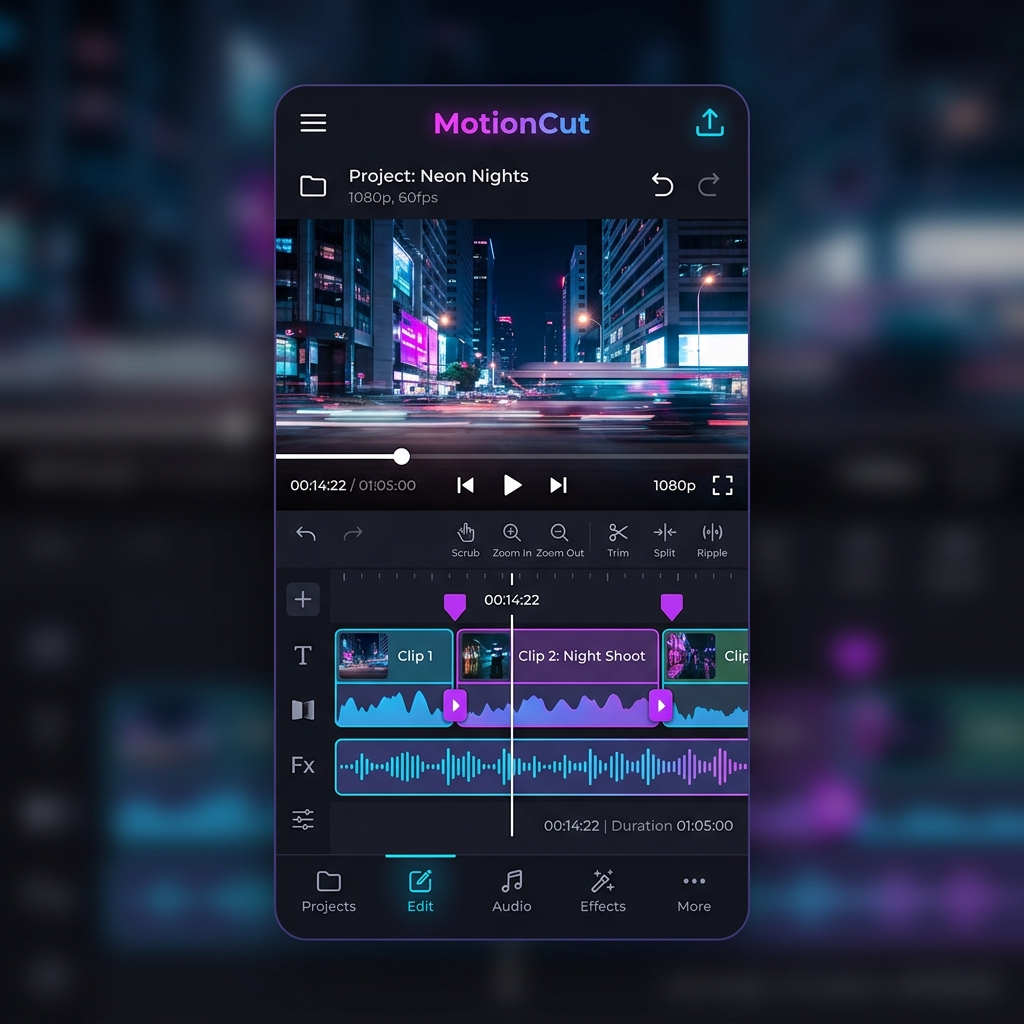
MotionCut App Interface showing the video timeline editor
AI Subtitles On
FFmpeg Export
Multi-Track NLE
0 Major Feature Areas
0 On-Device AI Processing
0 Ads & Watermarks

Flagship Features

Designed for creators who demand desktop-class editing on their mobile device.

Core Engine

Interactive NLE Timeline

A full Non-Linear Editing timeline supporting multiple tracks with real-time gesture interactions — precisely trim, split, and reorder clips with your fingers.

AI Powered

AI Auto-Subtitles

A fully realized on-device AI pipeline maps transcribed text directly onto a dedicated subtitle track, synchronized flawlessly with your video playback.

Real-Time

Live Playback Sync

Powered by Media3 ExoPlayer, the live preview instantly adapts to every timeline edit — seamlessly skipping deleted footage with zero re-rendering delays.

Pro Export

FFmpeg Smart Export

Dynamically builds complex -filter_complex commands to precisely trim, concatenate, and burn subtitles into every frame.

Built with the best

Jetpack Compose
Media3 ExoPlayer
FFmpeg Kit
ML Kit
Kotlin Coroutines
Room Database
Hilt DI
Navigation Compose
Material 3
Android 14+
Jetpack Compose
Media3 ExoPlayer
FFmpeg Kit
ML Kit
Kotlin Coroutines
Room Database
Hilt DI
Navigation Compose
Material 3
Android 14+

From Import to Export

Three simple steps to create stunning, professional videos on your Android device.

1

Import Media

Pick videos from your gallery or file system. MotionCut instantly loads them onto the multi-track timeline, ready for editing.

2

Edit & Enhance

Trim, split, and reorder clips with gestures. Fire up AI Auto-Subtitles and watch your speech appear as a synced subtitle track in seconds.

3

Export & Share

Hit export and FFmpeg renders the final video with hardcoded subtitles, clean cuts, and full quality — saved directly to your device.

Loved by Creators

See what early users are saying about MotionCut's editing experience.

"The NLE timeline on Android is genuinely impressive. I can trim and split clips with the same precision I'm used to from desktop editors. AI subtitles saved me hours of manual captioning."

A
Alex R.
Content Creator

"No watermarks, no subscription — and it's actually good? The FFmpeg export quality is top-notch. This replaces my paid editing apps without hesitation."

S
Sara M.
Video Producer

"The real-time playback sync while editing is buttery smooth. It feels like a proper desktop NLE, not an afterthought. Best mobile editor I've used."

J
James K.
YouTuber
Free Download

Start Editing.
No Limits.

Download MotionCut today — completely free, no watermarks, no subscription. Just powerful video editing at your fingertips.

100% Free
No Ads
No Watermark
On-Device AI